
Fresha for business
Fresha.comBeauty
4.6361.00 Reviews
- Version
- 2.8.10201
- Installs
- 500.00K
- Age Rating
- Everyone
Screenshots
Our Review of Fresha for business
 Analysis by Appyee
I found Fresha most useful as a practical beauty-booking app rather than as something I open for browsing alone. It connects people with salons and spas through a mobile experience that feels designed for the moment when I suddenly need an appointment, want to move an existing booking, or need to compare nearby beauty services without making several phone calls. The app is free, rated for Everyone, and developed by Fresha.com.
My overall impression is positive, but it depends heavily on having a reliable connection at the right time. Fresha is at its best when I am online, ready to check current availability and act quickly. It is less convincing as a tool for preparing everything in advance or managing beauty appointments in places where mobile data is weak. That distinction matters because the convenience comes from live access to booking information, not simply from storing a directory on my phone.
How Fresha feels when booking depends on a live connection
The main appeal is straightforward: instead of treating a salon or spa as a business I must contact separately, Fresha brings the search and appointment process into one place. I can use it when I want to investigate options, look at available services, and choose a time that fits my day. That makes it especially handy for routine appointments, last-minute plans, and people who dislike waiting for a reply to a message.
In my experience, the app makes the most sense when I already know roughly what I need. Searching with a clear idea of the service, location, or preferred time is more efficient than opening it with no plan and scrolling through every possibility. The live nature of the experience is important: the value is not just seeing a salon name, but being able to move from discovery toward an appointment while the information is current.
That also creates the first important trade-off. A conventional search engine or map can be faster for finding a business name, address, or general impression. A direct call can be better when I have a complicated request, need to explain a special circumstance, or want reassurance from a person before committing. Fresha is stronger when the booking itself is the priority and the available choices are already represented clearly in the app.
The platform has reached a sizeable audience, with an average rating of 4.6 from around 8.8 thousand ratings and more than 500 thousand installs. I see those figures as signs that the basic booking idea is working for many people, but they do not remove the need to judge the experience salon by salon. The quality of a booking journey can still depend on how completely an individual business maintains its information.
What happens when the network is doing the heavy lifting
Connectivity affects nearly every useful moment. When I search, compare appointment times, or try to confirm a booking, I am relying on information that needs to travel between the app and the service. A strong connection makes the process feel immediate. A weak connection can turn a simple decision into repeated loading, uncertainty about whether a selection was accepted, or hesitation about trying again.
This is particularly noticeable when I am booking from a moving train, inside a large building, or in a busy shopping area where the signal changes from one moment to the next. I would not treat Fresha as a fully dependable offline appointment diary. Its practical strength comes from being connected to current booking information, so I prefer to complete important actions before entering a known dead zone.
A useful habit is to separate browsing from confirmation. If I have time, I can investigate services while my connection is stable, note the option that seems suitable, and then complete the final booking without rushing. If I am already late or standing outside a salon, I avoid repeatedly tapping the confirmation control. I first check whether the app has visibly updated, because repeating an action during a slow connection can create unnecessary confusion.
For an everyday example, imagine I finish work earlier than expected and want a treatment that evening. I can open Fresha while still connected to office Wi-Fi, review the available times, and choose an appointment before commuting. That is a better workflow than waiting until I am underground or walking through an area with poor reception. The app saves time when I use its connected nature deliberately rather than assuming the phone will handle every step without interruption.
Using it in real mobile situations
Fresha suits the way people actually make beauty appointments: between errands, during a lunch break, or while deciding what to do after work. I like that the phone is the natural place for this task because I can act as soon as I know my schedule. I do not need to sit at a computer or remember to call during a business’s opening hours.
That convenience is strongest for straightforward services. If I want to arrange a familiar appointment and the available choices are easy to understand, a mobile booking flow feels much quicker than exchanging messages. It is also useful when I am visiting an unfamiliar area and want to investigate salons or spas without relying entirely on recommendations from friends.
However, mobile convenience can encourage rushed decisions. A small screen is not always the best place to compare several services with similar names, especially when I am distracted or in a hurry. I take an extra moment to check the service description, timing, and selected location before confirming. This is one of the less obvious ways to avoid a disappointing visit: the fastest tap is not always the most accurate booking.
I also think about the phone’s condition. Low battery, unstable reception, and switching between Wi-Fi and mobile data are ordinary problems, but they become important when an appointment is time-sensitive. If I am relying on the app to show a booking at the door, I prefer to open the relevant details while I still have a dependable signal. That is not a claim that the app provides a special offline mode; it is simply a sensible preparation step for any connected booking service.
The app runs on Android from version 8.0 onward, which makes it accessible to people using a range of older compatible devices. Its current version is 2.8.10201. I would still keep the app updated when possible, because booking tools benefit from compatibility fixes and smoother communication with the live service. On an older phone, I would be more patient if screens take longer to load, particularly while several apps are active.
What I do when a booking does not go smoothly
The most frustrating situation is not necessarily a visible error. It is uncertainty: I tap to continue, the connection pauses, and I am unsure whether the appointment was created. My first response is to avoid immediately repeating the booking. I check for a confirmation or updated appointment information, then give the screen a moment to catch up. This simple pause can prevent duplicate attempts and unnecessary stress.
If the app becomes unresponsive, I would close and reopen it only after noting what I had selected. I would then verify the appointment status rather than assuming the last action failed. When the problem is clearly network-related, moving to a stronger signal is usually more useful than repeatedly restarting the phone. Fresha is a live service, so recovery depends partly on restoring communication with it.
This is also where the usual alternatives retain an advantage. A phone call gives me a person who can immediately clarify whether a slot exists, while a direct message may be better for explaining a late arrival or a special request. Fresha is not a replacement for every conversation. I see it as the efficient first choice for standard bookings, with direct contact still valuable when the situation is unusual or urgent.
I would not blame the app for every mismatch between expectation and reality. A salon’s service naming, availability, or response to a request can affect the experience as much as the interface. Before choosing an unfamiliar option, I read carefully and avoid assuming that two similarly named treatments are identical. The app can simplify access, but it cannot remove the need for basic attention.
For people who frequently change plans, the real test is how comfortable they feel managing those changes through a connected platform. If I know I may need to adjust an appointment, I prefer to do it while I have time and a stable connection, not five minutes before the scheduled visit. When a change involves explaining a personal circumstance, I would choose direct communication if the app’s available options do not express what I need clearly.
Keeping mobile data use sensible
Fresha is not the kind of app I would expect to consume data continuously in the background simply because I installed it. My practical data use comes from opening screens, loading service information, and communicating booking actions. I therefore use Wi-Fi for leisurely browsing and reserve mobile data for focused searches when I am away from home.
That approach is useful for two reasons. It keeps the experience more stable, and it avoids wasting data while I casually explore choices I may never book. If I already know the area and service, I search with a specific purpose instead of repeatedly refreshing broad results. This is a small but effective habit for anyone on a limited mobile plan.
I also avoid treating screenshots as a substitute for current booking information. Saving a screen can help me remember a detail, but it should not be considered proof that availability remains unchanged. The app’s value is tied to live information, so I use saved notes only as reminders and return to the connected app before making an important decision.
Privacy and comfort matter in another way: I prefer to review what I am selecting before sending a booking request or confirming an appointment. A fast connection can make the process feel effortless, but speed should not replace checking the business, service, time, and location. This is especially important when I am booking from a crowded place and may accidentally tap the wrong option.
Fresha is free to download, which lowers the barrier to trying it. That does not mean every appointment-related cost disappears; the service itself is still a separate decision between me and the chosen beauty business. I judge the app on how well it helps me discover and arrange that service, not on the assumption that using the platform makes the appointment free.
Who will appreciate it, and who may prefer another route
I would recommend Fresha to someone who wants a single mobile starting point for salons and spas, values flexible browsing, and prefers arranging ordinary appointments without a phone conversation. It is particularly useful for people with unpredictable schedules, newcomers to an area, and anyone who tends to remember beauty appointments only when a free time suddenly appears.
It is also a good fit for users who make repeat bookings but do not want to maintain a separate list of phone numbers and opening hours. The app can make the discovery-to-booking path feel more organized, provided the user remains attentive to the exact service and appointment details.
I would be more cautious recommending it to someone who needs extensive consultation before booking, has very unreliable connectivity, or prefers personal confirmation for every appointment. People who mainly use highly specialized services may find a direct relationship with a trusted salon more reassuring. Likewise, if I am already dealing with a late cancellation, a complex request, or a misunderstanding, a human conversation may be faster than trying to force the situation through a standard mobile flow.
The developer, Fresha.com, positions the product around salons and spas, and that focus is clear in how I use it. It is not a general-purpose personal planner, a replacement for a calendar, or a beauty advice community. Its job is narrower and more useful: helping connect a customer with a beauty appointment. I appreciate that focus because it keeps the app’s purpose easy to understand.
After using it, my connectivity verdict is simple: Fresha is most dependable when treated as a live booking tool, not an offline reference. A stable connection turns searching and arranging an appointment into a convenient mobile task. A weak connection does not necessarily make the app worthless, but it makes timing and verification more important.
Released on July 26, 2019, the app has had time to establish itself, while the current version shows that it continues to be maintained. I would install it for practical access to salons and spas, especially if I often book on the go. I would keep a direct contact option in reserve for unusual requests and avoid making critical changes in a signal dead zone. Used with those expectations, Fresha is a useful, free beauty app that earns its place through convenience rather than unnecessary extras.
Verdict
Strengths of Fresha for business
- Free to download with no upfront subscription cost for core tools.
- Supports online booking, reducing the need to manage appointments manually.
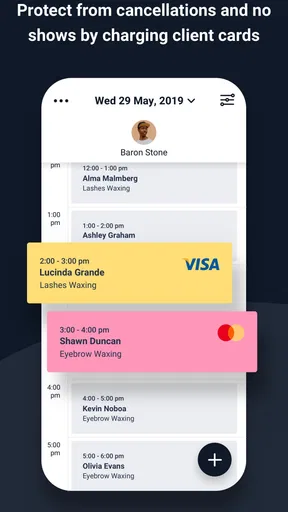
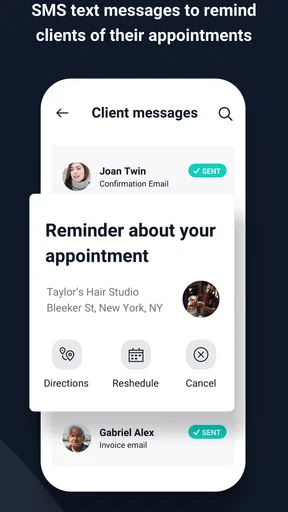
- Automated reminders can help lower no-shows and last-minute cancellations.
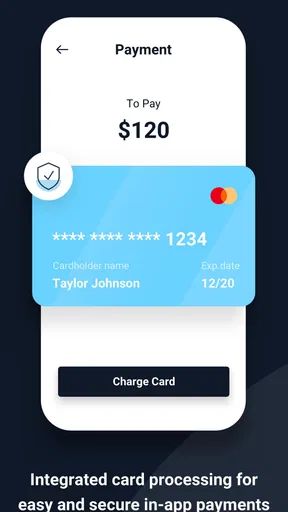
- Built-in payment features simplify deposits and transaction handling.
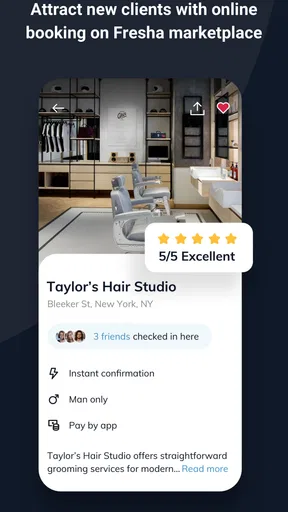
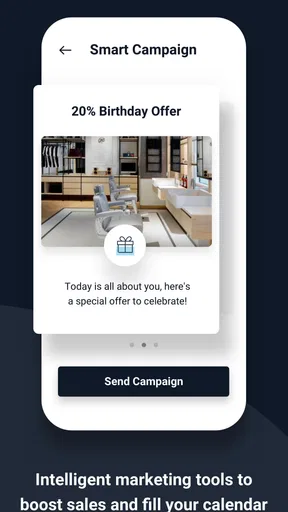
- Marketplace exposure may help new clients discover your business.
Limitations of Fresha for business
- Fresha may charge fees for certain marketplace bookings and payment services.
- Some advanced tools may require extra costs or paid add-ons.
- Businesses have limited control over marketplace customer relationships.
- The interface can feel complex when managing multiple staff and locations.
- Reliable internet access is needed for most booking and management features.
Other Releases by Fresha.com
View All
Fresha for customers
Beauty4.9
Similar Picks in This Category
View All
Beauty Makeup Editor & Camera
Photo & Video Editors - Instant Solution4.7

Perfect365: Face Makeup Editor
Perfect365, Inc.3.5

Mirror Plus - HD Mirror app
Digitalchemy, LLC4.8

Cute Lock Screen & Wallpapers
Prometheus Interactive LLC4.6

HD Camera for Android
One Music Player4.5

Phone Mirror app - True Mirror
Cards4.6
Frequently Asked Questions
What is Fresha for Business used for?
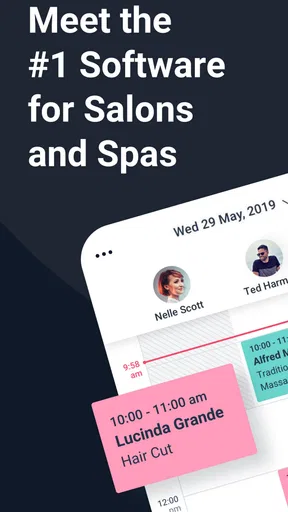
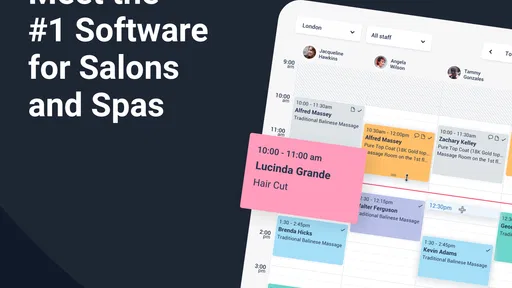
Fresha for Business is a management platform for salons, spas, barbershops, beauty professionals, and wellness businesses. After reviewing its main tools, we found that it brings appointments, client profiles, staff schedules, services, payments, reminders, and reporting into one system. It is designed to reduce manual administration while helping businesses manage daily bookings and maintain a more organized customer experience.
Is Fresha for Business free to download and use?
The app can generally be downloaded without an upfront installation fee, but that does not necessarily mean every feature is free. Fresha’s pricing may depend on the tools you use, such as payment processing, marketplace bookings, marketing, or other business services. Before committing, check the current pricing and transaction conditions in your country, because fees and available features can change over time.
Can I manage appointments and staff schedules with Fresha for Business?
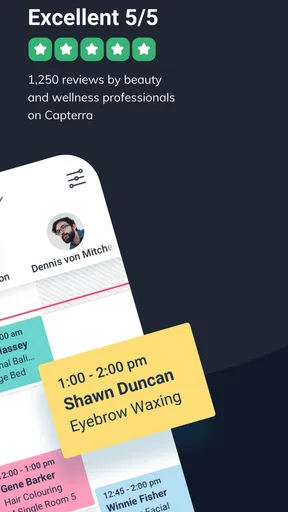
Yes. Fresha for Business is primarily built around appointment and business scheduling. You can create services, set working hours, assign staff, manage availability, and view upcoming bookings from the app. In our review, the scheduling tools were most useful for businesses with several employees or treatment rooms, although setup may take some time if you have a large service menu or complex staff availability.
Does Fresha for Business support online bookings and customer reminders?
Fresha allows businesses to offer online appointment booking, depending on the features and settings available for their account. Customers may be able to book through a business profile or booking link, while automated confirmations and reminders can help reduce missed appointments. Businesses should review notification settings carefully, since reminder timing, communication options, and possible charges may vary by region and subscription or service terms.
Is Fresha for Business suitable for small salons and independent professionals?
It can be a practical option for independent beauty professionals and small salons that want scheduling, customer records, payments, and business administration in one place. The interface is more useful once your services and policies are configured correctly, so beginners should expect a short learning period. Before downloading, consider whether Fresha’s marketplace model, payment terms, and available integrations match the way your business already operates.
